
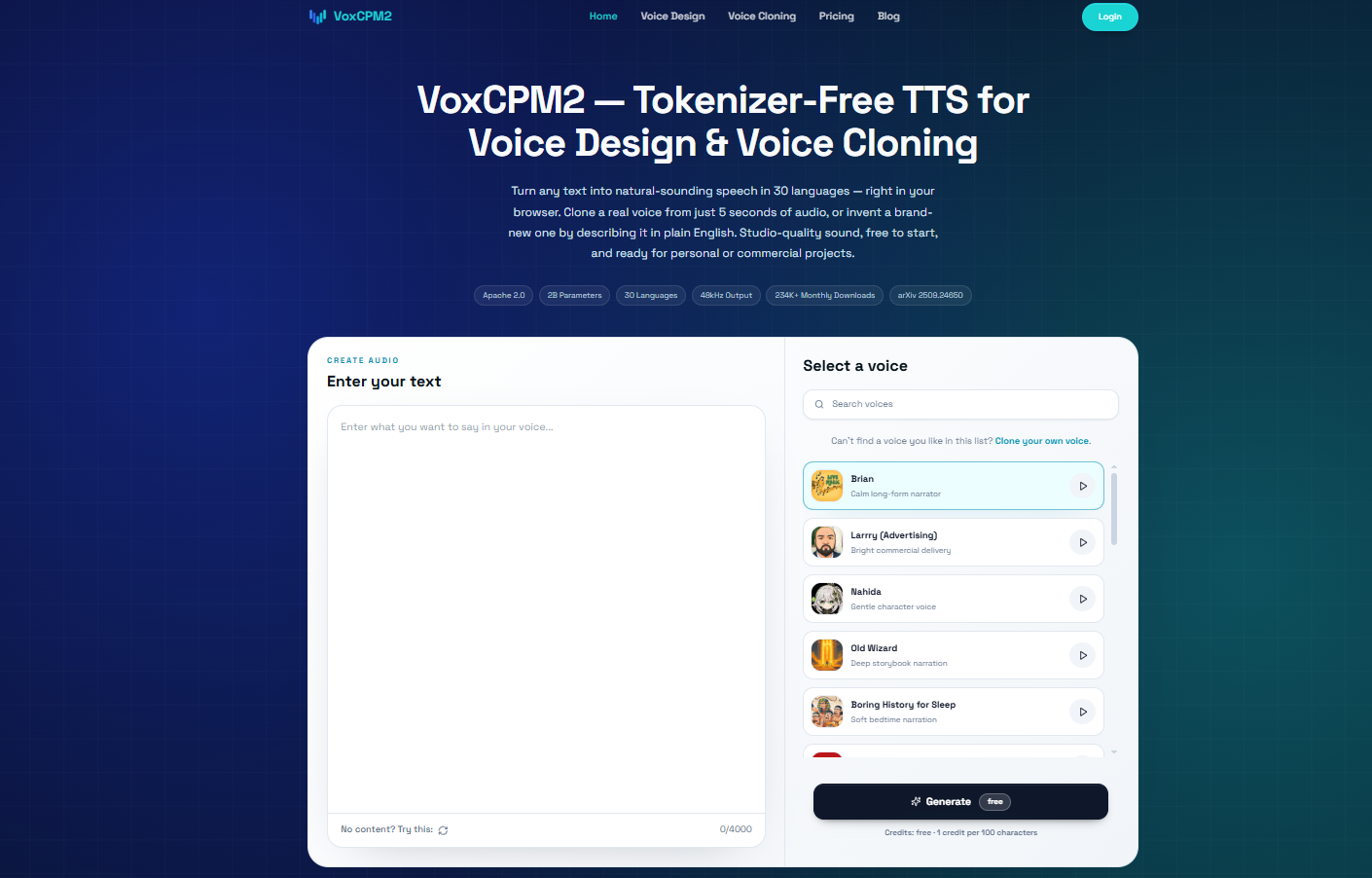
Quick Verdict
VoxCPM2 is one of the most interesting open-source voice models to test right now if you want a local alternative to hosted text-to-speech tools. It is not just a basic “type text, get audio” demo. The official OpenBMB/VoxCPM project positions VoxCPM2 as a 2B-parameter local AI voice model for multilingual speech generation, creative voice design, controllable voice cloning, and 48 kHz audio output. In plain English: it can create a new voice from a written description, generate speech in 30 languages, and clone a reference voice when you provide an audio sample.
TL;DR
Best for | Local deployment, multilingual TTS, voice design, open-source control |
Requires | NVIDIA GPU ~8 GB VRAM, Python 3.10–3.12 |
License | Apache 2.0 (open-source, commercially usable) |
Overall score | 4.2 / 5 |
Try free | voxcpm.app — no install or GPU needed |
After testing the official Web Demo flow from the OpenBMB/VoxCPM repository, my recommendation is simple: VoxCPM2 is worth trying if you care about control, local deployment, multilingual speech, or voice cloning. It feels especially useful for product demos, AI assistants, educational narration, game prototypes, content localization, and internal voice tools where privacy and repeatable costs matter.
It is not a one-click commercial voice studio. You still need a GPU, a working Python environment, model downloads, and a little patience during first startup. If you only need a polished hosted voice for one marketing video, a commercial API may be faster. But if you want to own the voice pipeline, test custom voices, avoid sending content to a third-party TTS service, or build a repeatable voice workflow, VoxCPM2 deserves a serious look.
→ Try VoxCPM2 free in your browser — no install, no GPU
This review covers: what VoxCPM2 does, how the official demo feels, what happened in hands-on testing, VoxCPM2 benchmark results, how to install VoxCPM2, comparisons with F5-TTS, CosyVoice, IndexTTS2, ElevenLabs, and other commercial voice APIs, and who should (and should not) use it.
What I Tested
For this review, I used the official OpenBMB/VoxCPM repository and its Web Demo. The model weights were downloaded from Hugging Face and loaded locally, then I ran short English text-to-speech tests through the browser interface.
Test Area | What I Checked |
|---|---|
Web Demo usability | Whether the official interface is clear enough for non-experts |
Voice design | Whether a written voice instruction can guide the generated voice |
English TTS | Whether short English narration can be generated reliably |
Runtime behavior | How first request (cold start) and warm request timings differ |
GPU memory (VRAM) | Approximate peak VRAM during a short generation |
Workflow clarity | Whether the workflow is easy to understand without exposing infrastructure details |
I did not claim a new academic benchmark. The benchmark section below uses official numbers and public sources. My local test is a practical product-style test: can the official demo run, can it generate an audio result, how long did a short request take, and how much memory did it use in this environment?
Why VoxCPM2 Is Getting Attention
The open-source TTS space has become crowded. A year ago, many users were mainly comparing XTTS, Bark-style tools, or early zero-shot cloning models. Now the conversation has shifted toward stronger systems such as F5-TTS, CosyVoice 2 and 3, IndexTTS2, Fish Audio, Qwen speech models, and VoxCPM2. The models are no longer just “fun demos.” They are becoming practical tools for narration, dubbing, AI agents, game dialogue, and voice product experiments.
VoxCPM2 stands out because it combines several features that are often split across separate tools:
Feature | Why It Matters |
|---|---|
Open-source release (Apache 2.0) | Teams can test and deploy without depending only on a hosted vendor |
30-language multilingual TTS | Useful for localization, education, global apps, and multilingual creators |
Voice design from text | You can describe a voice instead of always uploading a reference clip |
Controllable voice cloning | A reference voice can be combined with style instructions |
48 kHz output | Higher-quality audio for video, narration, and post-production |
Local Web Demo | Easier for teams to evaluate before writing code |
The official OpenBMB repository says VoxCPM2 is trained on more than two million hours of multilingual speech data and supports 30 global languages plus several Chinese dialects. It also lists Apache 2.0 licensing, which is important for commercial evaluation.
The bigger reason it is getting attention is timing. Many users want an alternative to hosted voice tools, but they still want modern quality. VoxCPM2 arrives at a moment when local AI users are more comfortable running models themselves, and when companies are asking harder questions about privacy, voice rights, and usage-based API bills.
How to Install VoxCPM2 (or Skip It and Run Online)
“Can I actually install this?” is the first question most teams ask, so here is the honest answer: you can, but for most use cases you do not need to.
Running VoxCPM2 locally is real work. You need Python 3.10–3.12, an NVIDIA GPU with around 8 GB of VRAM, a matching CUDA toolkit, and 10–15 GB of disk space for the model weights. From there you clone the official OpenBMB/VoxCPM repository, install it, and launch the Web Demo, with the weights downloading automatically on the first run. It works well, and it is the right path if you specifically need to self-host for privacy, custom integration, or offline use — which is exactly what the hands-on testing below covers.
But local setup only makes sense if owning the infrastructure is the point. If you simply want to use VoxCPM2 — generate speech, design a voice, clone a consented sample — there is no reason to install anything, manage a GPU, or wait through a cold start. The same model runs in your browser, free, with no setup at all.
→ Use VoxCPM2 online free — no install, no GPU
Similar Products I Compared
To place VoxCPM2 in context, I compared it with other similar voice products and open-source TTS projects, including F5-TTS, CosyVoice, IndexTTS2, Fish Audio, and broader open-source TTS options. Instead of judging on reputation, I looked at the practical dimensions that actually decide which model a team ships with:
Dimension | What It Tells You |
|---|---|
Setup and first-run friction | How fast you can get from clone to first audio |
Voice cloning quality | How close a clone gets from a short consented sample |
Voice design from text | Whether you can create a voice without any reference clip |
Multilingual coverage | How many languages and dialects are genuinely usable |
Deployment and serving cost | VRAM, latency, and the path to high throughput |
Licensing and openness | Whether the license is safe for commercial use |
That framing is useful because most readers are not looking for a paper summary. They want to decide whether a model is worth their time. F5-TTS is often chosen for zero-shot TTS cloning and setup simplicity. IndexTTS2 is often discussed for emotion and duration control. CosyVoice tends to stand out for streaming, multilingual synthesis, and production readiness. VoxCPM2’s best angle is different: it is a broad voice model that combines multilingual TTS, voice design, cloning, local deployment, and high-quality output.
The Web Demo Experience
The official Web Demo is simple. The page presents three main modes:
Mode | What It Means |
|---|---|
Voice Design | Create a voice from a written description, no reference audio needed |
Controllable Cloning | Upload a reference clip and guide the style with text |
Ultimate Cloning | Use reference audio plus transcript-style continuation for closer voice detail |
The interface has a reference audio area, an optional cloning mode toggle, a control instruction box, a target text box, advanced settings, a generate button, and an audio result panel.
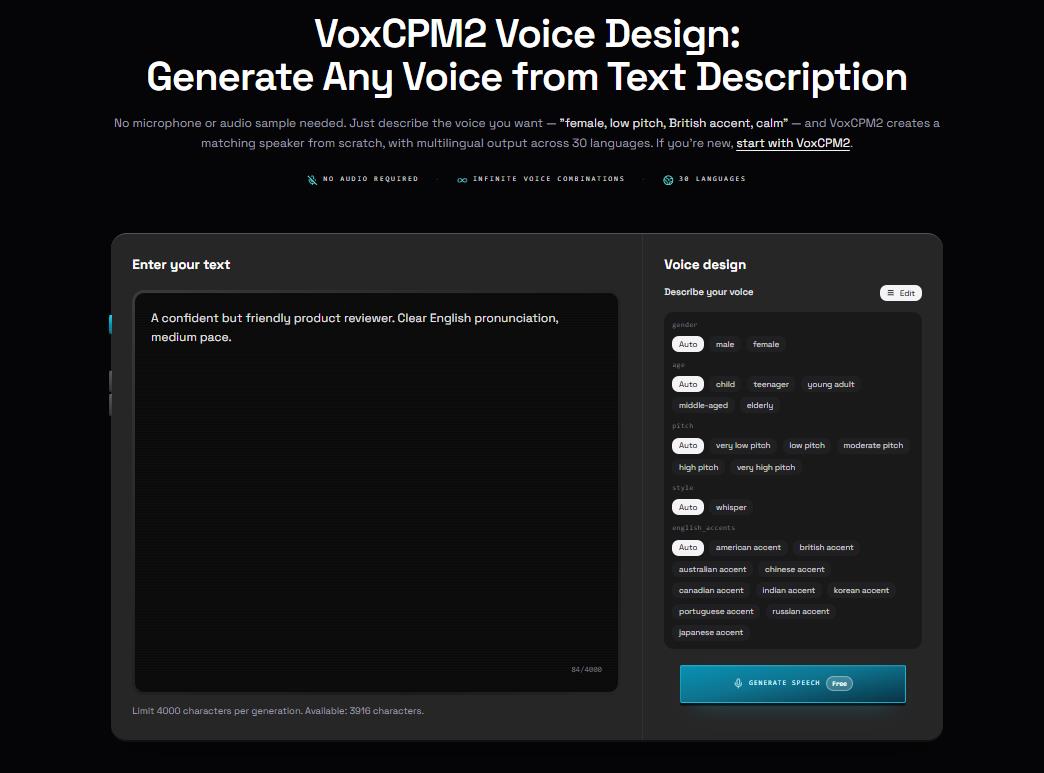
For my short English test, I used this control instruction:
A confident but friendly product reviewer. Clear English pronunciation, medium pace.
And this target text:
VoxCPM2 creates natural speech from a short prompt while keeping the interface simple enough for everyday creators.
The output appeared as an audio waveform in the result panel.
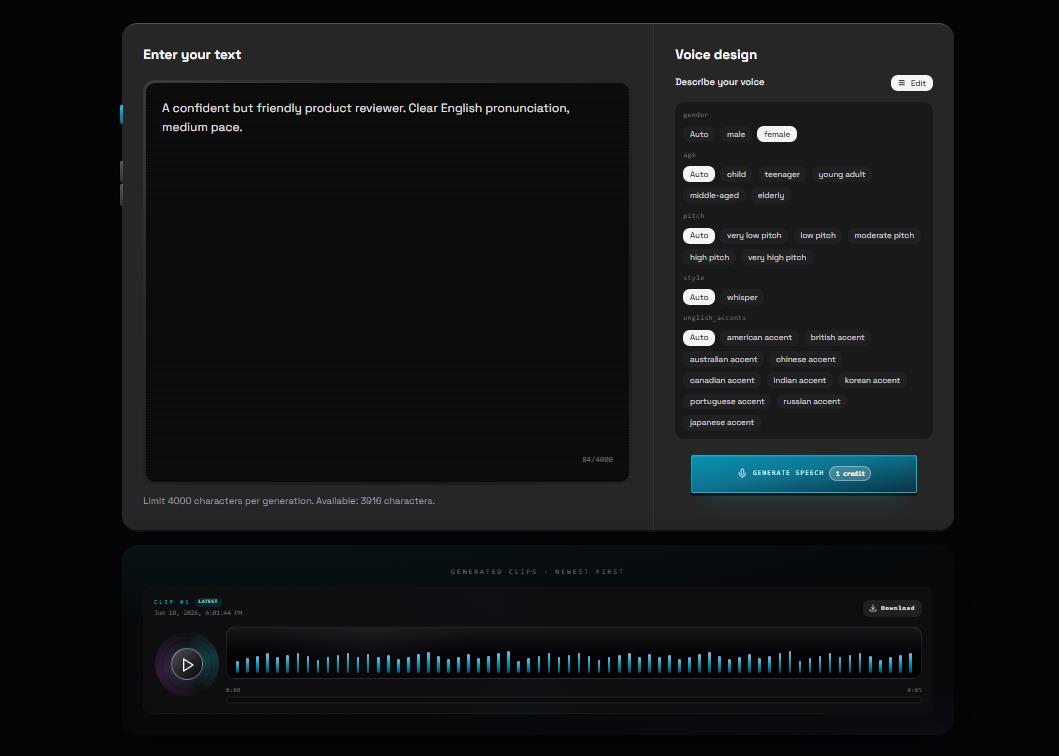
The experience is not as polished as a commercial SaaS voice studio, but it is understandable. You do not need to know the model architecture to use it. The most important mental model is easy: describe the voice, enter the text, generate audio. If you want cloning, upload reference audio. If you want more nuance, use the advanced mode.
There are still small rough edges. Some generic Gradio interface hints may follow the browser’s language settings even when the main app text is English. The page is clearly a demo, not a finished creator product. But for evaluating the model, it is more than enough.
VoxCPM2 Benchmark Results: Official Evaluation Data
The official OpenBMB/VoxCPM repository includes benchmark tables comparing VoxCPM2 with other open and closed models. These numbers are useful because they show VoxCPM2 is competing in the serious part of the TTS field, not only in casual demo territory.
On the official Seed-TTS-eval table, VoxCPM2 reports strong English and Chinese speaker similarity (SIM) scores and competitive word error rate (WER). The same table includes F5-TTS, CosyVoice2, IndexTTS2, Fish Audio S2, Qwen models, and other systems. VoxCPM2 does not win every column, but it sits in the top group while also offering voice design, controllable cloning, multilingual support, and an open release.
Important note on benchmark framing: Speaker similarity (SIM) and word error rate (WER) are the two core metrics. SIM measures how close a clone sounds to the reference voice; WER measures how accurately the model speaks the target text. A model can score high on SIM while still misreading words, so always evaluate both columns together — not just whichever metric went viral.
The repository also lists a model-version comparison:
Model | Main Position |
|---|---|
VoxCPM2 | Latest 2B model, 30 languages, voice design, cloning, 48 kHz output |
VoxCPM1.5 | Earlier stable release with cloning-oriented strengths |
VoxCPM-0.5B | Smaller legacy release |
The official project reports approximate RTF values and VRAM requirements, including around 8 GB VRAM for VoxCPM2 and faster serving options through Nano-vLLM or vLLM-Omni.
Runtime Snapshot From My Test
The first generation request took longer because the model and related components had to initialize. A second request was much faster once the model was already loaded.
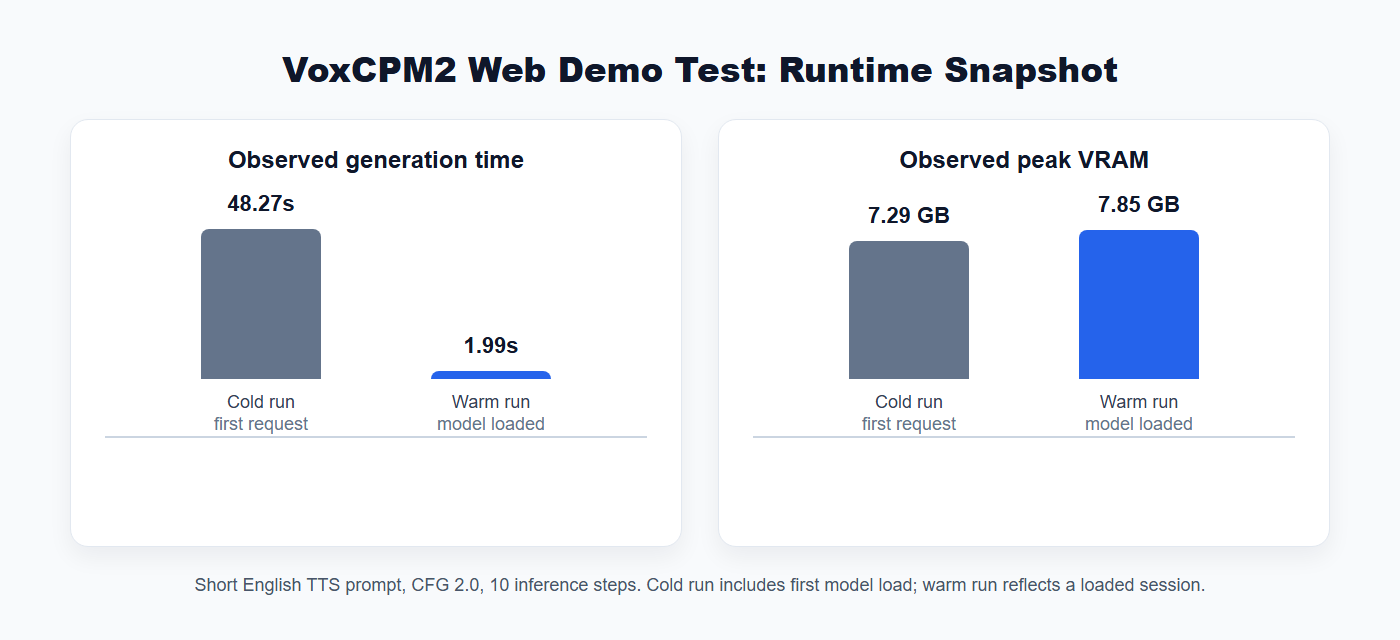
Observation | Result |
|---|---|
Cold run, first short English request | 48.27 seconds |
Warm run, model already loaded | 1.99 seconds |
Cold run peak VRAM | 7.29 GB |
Warm run peak VRAM | 7.85 GB |
Test settings | CFG 2.0, 10 inference steps |
These numbers depend on hardware, driver stack, text length, whether the model is already loaded, and how many requests are queued. But they are useful for one practical point: VoxCPM2 is not tiny, yet the observed memory use is reasonable for a modern local voice model. The official repository lists an approximate 8 GB VRAM requirement, which matches this test.
The biggest user-facing lesson: cold start matters. If you are running VoxCPM2 for an app, you probably do not want users to experience the first-request load time. Keep the model warm, or hide cold start behind an admin preload step — or sidestep the problem entirely by using the hosted version, which has no setup or cold start to manage.
Audio Quality: What To Expect
VoxCPM2’s main strength is that it does not feel limited to one voice mode. Many open-source TTS tools are good at one thing: cloning, narration, streaming, or emotional speech. VoxCPM2 tries to cover a wider set of use cases.
For plain narration, the output from the short English test was usable as a demo sample — clear voice, correct pronunciation, appropriate pacing for a product-review tone.
Where VoxCPM2 becomes more interesting is voice design. Instead of forcing every test to start with a reference clip, it lets you write the kind of voice you want: warm narrator, energetic host, calm teacher, older male voice, young female voice, fast-paced presenter, soft bedtime-story tone, and so on. That makes it appealing for creators who do not already have a voice library.
Voice cloning is the more sensitive feature. The model can clone a reference voice, but that should only be used with permission. Any review article that treats cloning as a toy does not take voice ethics seriously. If you are building a public product, require consent, block impersonation, and clearly disclose synthetic audio when it is published.
VoxCPM2 vs F5-TTS
F5-TTS is still one of the most popular open-source voice cloning baselines for zero-shot TTS. It is widely discussed because it can clone voices from short samples and is relatively easy to try. Many F5-TTS articles focus on setup speed, zero-shot cloning, and how close it can get to commercial voice APIs.
VoxCPM2 is broader. F5-TTS is attractive if your primary goal is local zero-shot cloning and you want a well-known community baseline. VoxCPM2 is more attractive if you want multilingual text to speech, voice design without a reference clip, controllable cloning, and an official project that clearly presents both demo and serving paths.
Use Case | Better First Test |
|---|---|
Quick open-source voice cloning baseline | F5-TTS |
Voice design from text descriptions | VoxCPM2 |
Multilingual product narration | VoxCPM2 |
Comparing local TTS against commercial APIs | Test both |
Building a reusable voice workflow | VoxCPM2 |
My recommendation: test both with the same prompts, the same reference clips, and the same target language. Voice models can behave very differently depending on language, accent, emotion, and audio quality.
VoxCPM2 vs CosyVoice
CosyVoice is an important competitor because of its strong multilingual positioning and streaming-oriented architecture. CosyVoice 2 is a scalable streaming speech synthesis model, and the CosyVoice ecosystem has continued to evolve with strong production momentum.
If your product is a real-time assistant where streaming latency is the main priority, CosyVoice should be on your shortlist. If your product needs a broader creative interface for voice design and voice cloning, VoxCPM2 may be easier to explain to non-technical creators — the modes are obvious: describe a voice, clone a voice, or continue from a reference.
VoxCPM2 vs IndexTTS2
IndexTTS2 is often discussed around emotion, timing, and duration control. That makes it especially relevant for dubbing, animation, and character dialogue where speech must fit a strict video duration or preserve emotional style precisely.
VoxCPM2 is less narrowly focused on timing control and more focused on broad voice generation. The choice depends on the job:
Need | Model To Test First |
|---|---|
Dubbing with tight timing | IndexTTS2 |
Emotional character dialogue | IndexTTS2 and VoxCPM2 |
General multilingual narration | VoxCPM2 |
Local creator-friendly voice design | VoxCPM2 |
VoxCPM2 vs ElevenLabs
ElevenLabs is the comparison most people reach for, because it is the best-known commercial voice product and because VoxCPM2’s launch buzz was built on a head-to-head claim. Several write-ups circulated a benchmark figure showing VoxCPM2 ahead of ElevenLabs on English speaker similarity by a wide margin. That single number is what made VoxCPM2 trend, so it is worth handling honestly rather than repeating it as settled fact.
Speaker similarity (SIM) is only half of what matters. A voice can sound close to the reference and still misread words, so SIM has to be read alongside word error rate (WER). The viral framing leaned on the similarity column; the fuller benchmark picture is more mixed, and intelligibility, stability, and language coverage all move the ranking around. Treat the “beats ElevenLabs” headline as a reason to test, not as a verdict.
The more durable differences are structural:
Category | VoxCPM2 | ElevenLabs |
|---|---|---|
Deployment | Self-hosted on your own GPU, or hosted in the browser | Hosted API, no infrastructure to run |
Cost model | GPU cost, more predictable at scale | Usage-based per-character billing |
Privacy | Audio can stay in your environment | Content is sent to a third-party service |
Setup effort | Python environment, weights, GPU | Sign up and call an API |
Voice library | Voice design plus consented cloning | Large polished prebuilt voice catalog |
Licensing | Apache 2.0, open weights | Commercial terms, closed model |
Honest summary: ElevenLabs is usually the faster path to a polished voice feature. VoxCPM2 is the stronger choice when privacy, ownership, predictable cost at scale, or custom integration matters more than convenience. If your decision hinges on a benchmark, run your own with your languages, your reference voices, and your target text — scoring both SIM and WER, not just whichever number went viral.
→ Test VoxCPM2 against your own voices — free, in your browser
VoxCPM2 vs Commercial Voice APIs
Beyond ElevenLabs, commercial tools such as Azure, Google, OpenAI TTS, and other hosted TTS providers are easier to use. They usually provide dashboards, account management, polished voices, predictable APIs, and less setup work. If your team wants a voice feature tomorrow and does not care about local deployment, a hosted API is hard to beat.
VoxCPM2 wins in different ways:
Category | VoxCPM2 Advantage |
|---|---|
Privacy | Content can stay in your own environment |
Cost at scale | GPU cost may be more predictable than per-character billing |
Control | You can test, tune, and integrate the model directly |
Openness | Apache 2.0 release is easier to evaluate for many teams |
Custom workflows | Developers can build around the model instead of a fixed SaaS UI |
The trade-off is maintenance. Someone has to manage the model environment, GPU, updates, monitoring, safety rules, and user experience. VoxCPM2 gives you ownership; it does not remove operational work. If that overhead is not worth it for your team, the hosted version gives you the same model with none of the ops.
Safety and Consent for AI Voice Cloning
Voice cloning requires a serious safety policy. Any product using VoxCPM2 should require consent for reference audio. Users should not clone private people, public figures, coworkers, customers, or family members without permission. Generated audio should be disclosed when used publicly.
At minimum, a production product should include:
Requirement | Why It Matters |
|---|---|
Consent confirmation | Prevents unauthorized voice cloning |
Reference-audio limits | Reduces abuse and runaway costs |
User logs | Helps investigate misuse |
Synthetic-audio disclosure | Protects audience trust |
Public-figure impersonation ban | Reduces fraud and disinformation risk |
Content review rules | Helps catch harmful or deceptive use |
This is not just legal hygiene — it is product quality. Voice is personal. A powerful voice cloning feature should be handled with care.
Production Readiness
For a team evaluating VoxCPM2, the model is only one part of the decision. You also need to think about deployment.
Question | Why It Matters |
|---|---|
How long is cold start? | Users should not wait for model loading |
What is warm request latency? | Determines interactive experience |
How much VRAM is needed? | Determines hardware cost |
How many requests can queue safely? | Prevents GPU overload |
Where are audio files stored? | Affects privacy and retention |
How are unsafe cloning requests blocked? | Reduces misuse |
How will updates be tested? | Prevents regressions |
The official project points to faster serving options, including Nano-vLLM and vLLM-Omni. Those are worth exploring if you need high throughput or concurrent requests. For a first evaluation, the Web Demo is enough. For a product, you need a serving plan.
Strengths
VoxCPM2’s biggest strength is flexibility. It can generate speech from text, create voices from descriptions, and clone from reference audio — more useful than a narrow single-purpose TTS demo.
Its second strength is multilingual reach. Thirty supported languages make it relevant for real localization workflows, not just English voice demos.
Its third strength is openness. The official repository, Apache 2.0 license, Python usage examples, CLI examples, Web Demo, and Hugging Face model files all make the model approachable for teams that want control.
Its fourth strength is quality ambition. The official VoxCPM2 benchmark tables place it among serious TTS systems, and the local test confirmed that short English voice design can produce usable output.
Its fifth strength is the creator-friendly concept of voice design. Writing “warm narrator, calm adult voice, medium pace” is easier than building a voice library from scratch.
Limitations
VoxCPM2 is not a complete voice product. You still need user accounts, permission controls, storage, moderation, monitoring, billing, and support if you want to offer it publicly.
The Web Demo is useful but not polished like a commercial app. Some interface text may still come from the underlying Gradio framework.
Cold start can be noticeable (48+ seconds in testing). Keep the model warm if latency matters.
Benchmarks do not replace your own listening tests. A model can score well on SIM/WER and still struggle with your specific accent, language, brand tone, or domain vocabulary.
Voice cloning needs governance. Without consent and disclosure, a technically impressive cloning feature can become a trust and legal problem.
Review Scorecard
Category | Score | Notes |
|---|---|---|
Voice quality potential | 4.5 / 5 | Strong benchmark positioning and usable local test output |
Ease of first evaluation | 4 / 5 | Web Demo is straightforward once the environment is ready |
Voice design | 4.5 / 5 | Natural-language voice direction is a major advantage |
Multilingual usefulness | 4.5 / 5 | 30-language support is a clear differentiator |
Production readiness | 3.5 / 5 | Promising, but serving, monitoring, and safety must be added |
Overall | 4.2 / 5 | One of the strongest open-source TTS models to evaluate now |
Who Should Use VoxCPM2 (and Who Should Wait)
VoxCPM2 is a strong fit if you:
Want a local open-source voice model with Apache 2.0 licensing
Need multilingual text to speech across 30+ languages
Want voice design from written descriptions (no reference clip required)
Need controllable voice cloning with consented reference audio
Want to test outside a hosted API — for privacy, cost, or integration reasons
Are building: AI assistant voices, product-demo narration, educational content, internal training videos, game-prototype characters, multilingual content, or research evaluation of open-source TTS
Wait, or pick something else, if you:
Want a fully hosted voice studio with built-in team management and billing
Need one-click commercial voice publishing with zero infrastructure
Need strict video-duration timing control as the primary feature
Do not have GPU access and are not willing to use the online version
Are building a public cloning product without a consent and safety policy
If your main blocker is simply not wanting GPU setup, that is the easiest gap to close — you get the same voice design and cloning capabilities online, without any local hardware.
→ Test VoxCPM2 online for free — same model, no GPU
Final Recommendation
VoxCPM2 is a strong open-source TTS model for people who want more than a hosted voice API. It is especially compelling because it combines voice design, controllable voice cloning, multilingual speech, high-quality output, and a permissive Apache 2.0 open-source release.
The official Web Demo is good enough for serious evaluation. The local hands-on test generated a short English sample successfully, showed a clear warm-run speed improvement after model loading, and stayed close to the official VRAM expectations. That makes VoxCPM2 practical for teams with capable GPU access.
My recommendation: test VoxCPM2 if you need private, controllable, multilingual voice generation. Compare it directly with F5-TTS, CosyVoice, IndexTTS2, and ElevenLabs using your own prompts and consented reference voices. Do not choose based only on demo clips or benchmark tables. Choose based on your languages, voices, latency target, safety policy, and willingness to operate a local model.
→ Try VoxCPM2 free online before you commit to anything
FAQ
Is VoxCPM2 open source?
Yes. The official OpenBMB/VoxCPM repository releases VoxCPM2 under the Apache 2.0 license, which permits commercial use with attribution. Teams should complete their own legal review before production deployment.
How do I install VoxCPM2?
The easiest way is not to install it at all: VoxCPM2 runs online in your browser for free, with no install and no GPU. If you specifically need to self-host, VoxCPM2 runs on Python 3.10–3.12 — clone the official OpenBMB/VoxCPM repository, install it, and launch the Web Demo with python app.py, and the model weights download automatically on the first run. An NVIDIA GPU with around 8 GB VRAM is recommended for local use.
What GPU does VoxCPM2 need?
The official repository recommends an NVIDIA GPU with approximately 8 GB of VRAM. In hands-on testing, observed peak VRAM was roughly 7.3–7.9 GB for a short English generation. Higher-end GPUs (RTX 4080, A10, A100) will reduce latency for batch or concurrent serving.
Can VoxCPM2 clone voices?
Yes. VoxCPM2 supports controllable voice cloning from a short reference audio clip. Use it only with explicit consent from the voice owner.
Does VoxCPM2 support multiple languages?
Yes. The official repository lists 30 supported languages plus several Chinese dialects, making it a strong choice for multilingual text to speech workflows.
Is VoxCPM2 better than F5-TTS?
It depends. F5-TTS is a strong zero-shot TTS cloning baseline with a large community. VoxCPM2 is broader: voice design from text, 30-language multilingual support, controllable cloning, and 48 kHz output. Test both with your own prompts and reference clips before deciding.
Is VoxCPM2 better than ElevenLabs?
VoxCPM2 competes on speaker similarity (SIM) benchmarks and wins on privacy, Apache 2.0 open licensing, predictable cost at scale, and self-hosting. ElevenLabs is usually faster to ship and more polished out of the box. Test both on your own text and languages — scoring WER (intelligibility) alongside SIM, not just whichever metric went viral.
Can I download VoxCPM2 from Hugging Face?
Yes. VoxCPM2 model weights are available on Hugging Face under the openbmb organization and download automatically on first run.
Can VoxCPM2 run locally without a GPU?
CPU-only inference is technically possible but very slow and not practical for real workflows. If you do not have a compatible NVIDIA GPU, the fastest alternative is to run VoxCPM2 online at voxcpm.app, which uses the same model without requiring any local hardware.