VoxCPM2 LogoVoxCPM2
Loading

VoxCPM2 — Tokenizer-Free TTS for Voice Design & Voice Cloning

Turn text into natural-sounding speech in 30 languages — right in your browser. Clone a permitted reference voice from a short sample, or design a new speaker by describing it in plain English. Start with free evaluation credits, then use paid plans when you need commercial-use rights.

Apache 2.0 Model2B Parameters30 Languages48kHz OutputVoice DesignVoice Cloning

Create Audio

Enter your text

0/4000

Select a voice

Can't find a voice you like in this list? Clone your own voice.

Credits: free · 1 credit per 100 characters

What is VoxCPM2?

VoxCPM2 is an open-source text-to-speech model released by OpenBMB in 2026. It uses a 2-billion-parameter tokenizer-free diffusion autoregressive architecture to turn written text into natural, expressive speech across 30 languages.

Unlike traditional TTS systems that rely on phoneme dictionaries or discrete speech tokens, VoxCPM2 maps text directly to a continuous speech representation. This architecture is designed to improve pronunciation and prosody on long-form content and code-mixed text. The model was trained on a large multilingual speech corpus and outputs 48kHz audio through AudioVAE V2's built-in super-resolution layer.

A single VoxCPM2 model supports three common workflows in one place: text-to-speech with built-in voices, zero-shot cloning from a permitted reference voice, and Voice Design that creates new speakers from a natural-language description. The hosted platform brings these workflows to your browser without local setup. Free credits are for evaluation; paid hosted plans include commercial-use rights under the VoxCPM2 terms.

Key Features

Key Features of VoxCPM2

Four capabilities define the VoxCPM2 workflow: multilingual speech generation, new voice creation from text, controllable cloning with permission, and 48kHz audio output from one model family.

🌍

30-Language Multilingual

VoxCPM2 supports 30 languages out of the box, from widely used languages such as English, Spanish, French, German, Portuguese, Russian, and Japanese to less-resourced ones like Swahili, Burmese, Khmer, and Lao. There is no need to set a language tag or switch checkpoints — paste your text and VoxCPM2 detects the language automatically. The same voice can speak fluently across languages, which makes cross-lingual dubbing, localization, and bilingual content production feel like a single continuous workflow.
🎨

Voice Design

Need a voice that does not exist yet? Just describe it. A prompt like `(a young woman, gentle and sweet voice)` is enough for VoxCPM2 to generate a brand-new speaker with the matching gender, age, tone, emotion, and pace — no reference audio required. Voice Design is well suited to character creation in games, branded narration for products, audiobook casts, animation, and any project where you want a distinctive voice but cannot or do not want to record one yourself.

🎛️

Controllable Cloning

Upload a 5- to 10-second audio sample and VoxCPM2 captures the speaker's timbre, then reproduces it on any text you provide. The default mode preserves the original delivery, while inline style cues such as `(slightly faster, cheerful tone)` let you steer emotion, pace, and expression without losing the voice's core identity. The output sounds like the same person speaking — just in a new context, a new language, or a new emotional register, depending on what your project needs.

🔊

48kHz Studio-Quality Output

VoxCPM2 accepts a 16kHz reference and produces 48kHz output natively through AudioVAE V2's built-in super-resolution, so you do not need a separate upsampler or post-processing chain. The audio retains natural breaths, micro-pauses, and prosodic detail that lower-sample-rate TTS systems typically smooth out. The result is broadcast-grade fidelity suitable for podcasts, audiobooks, video voiceovers, music production, and any setting where listeners would otherwise notice the difference between synthetic and real speech.

Live Demo Gallery

Hear VoxCPM2 in Action

The samples below show example VoxCPM2 outputs across languages, emotions, and voice modes. Each card includes the input text and generated audio so you can judge the result before opening the playground yourself.

30 Languages Grid

Speak in 30 Languages, Natively

VoxCPM2 generates speech in 30 languages with automatic language detection — no model swapping, manual tags, or extra configuration. Try samples across English, Mandarin, Spanish, French, German, Japanese, Swahili, Lao, Khmer, Burmese, and more to compare how the same model handles different scripts and accents.

Most popular languages

1/5

English
Spanish
German
Japanese
A
B

How It Works

How VoxCPM2 Works in 3 Steps

Whether you are cloning a permitted voice, designing a new one, or turning text into speech, VoxCPM2 follows the same three-step workflow: choose the voice direction, enter text, then generate and review the audio.

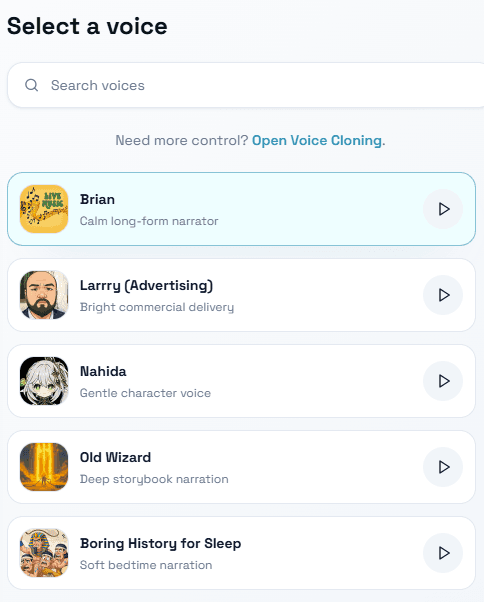
Step 1 — Provide a voice prompt

VoxCPM2 voice selection interface

Choose how you want the voice to sound. To clone a speaker, upload a clean reference clip only when you have permission to use that voice. To design a new voice instead, write a natural-language description such as `(a calm middle-aged man, deep voice)`. You can also leave this step empty and let VoxCPM2 use one of its built-in default voices.

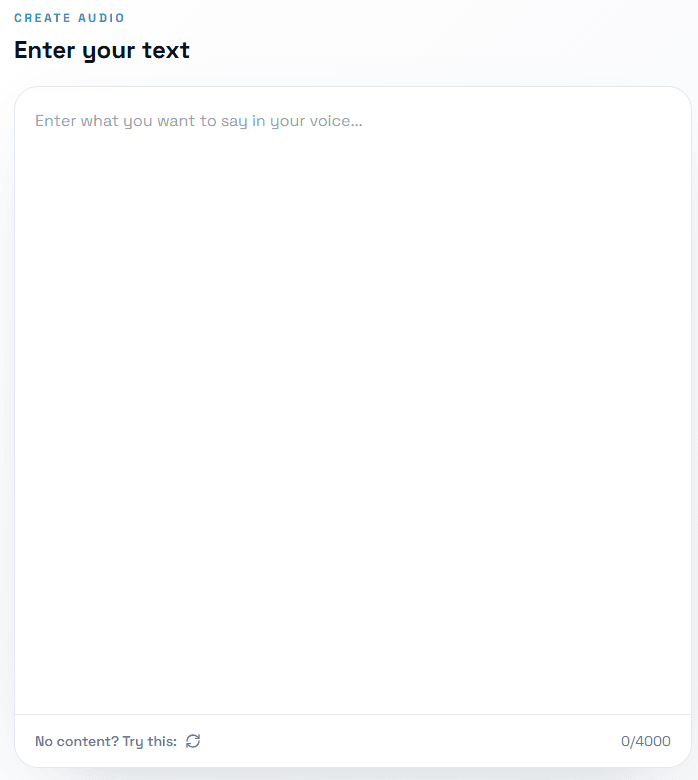
Step 2 — Enter your target text

VoxCPM2 text input interface

Paste or type the content you want VoxCPM2 to speak, from a single sentence to a long-form script. Inline style cues like `(slightly faster, cheerful tone)` let you steer emotion, pace, and expression for specific phrases while keeping the underlying voice intact. The model automatically detects the language, so you do not need to label it.

Step 3 — Generate, download

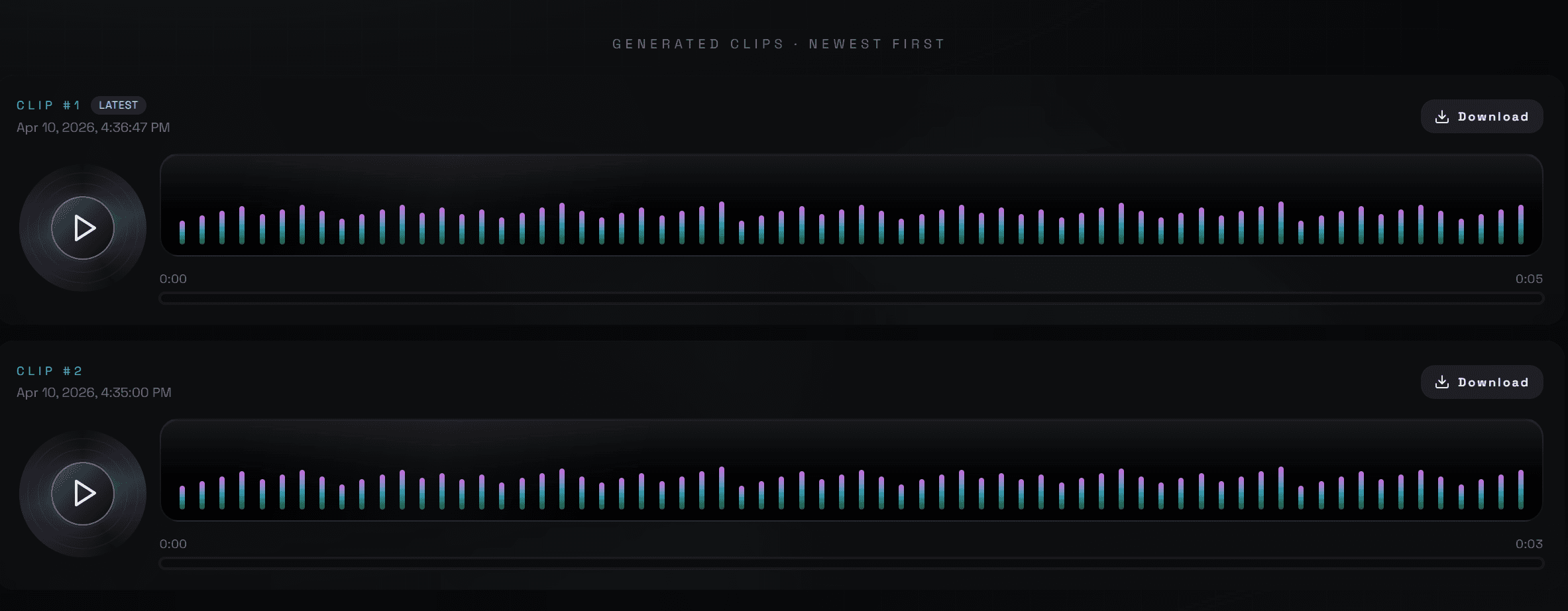
VoxCPM2 generated audio preview interface

Click generate and review the 48kHz audio in your browser. Download the result as a standard audio file or copy a share link. For commercial publishing, use a paid plan and follow the VoxCPM2 terms for voice rights and acceptable use.

Benchmark Performance

Benchmark Performance on Public Speech Tests

VoxCPM2 is evaluated across multilingual speech quality, speaker similarity, cross-lingual transfer, and voice-design instruction following. The table summarizes the kinds of public tests teams usually review when comparing TTS models, without treating one benchmark as the whole story.

BenchmarkWhat it measuresVoxCPM2 result
Seed-TTS-eval (EN / ZH)Multilingual WER + speaker similarityReported strong result
CV3-evalCross-lingual voice transferReported strong result
InstructTTSEvalVoice Design instruction-followingReported strong result
MiniMax Multilingual TestLow-resource language qualityReported strong result

Technical Specifications

Technical Specifications

For teams evaluating VoxCPM2 for self-hosting or integration, the headline specs are below. They describe the underlying model — which is the same model that powers our hosted platform. VoxCPM2 supports batch and streaming inference, with mature tooling for production deployment.

Parameters

2B

Audio Output

48kHz studio quality

Languages

30

License

Apache 2.0

Architecture

Tokenizer-Free Diffusion Autoregressive

Backbone

MiniCPM-4

Reference Input

16kHz

VRAM

~8 GB

RTF (RTX 4090)

0.30 standard / 0.13 with Nano-vLLM

Training Data

2M+ hours, multilingual

Streaming

Yes

Fine-tuning

LoRA + Full SFT

Model Facts

Built Around an Open Speech Model

VoxCPM2 is built around an OpenBMB speech model with open model licensing, multilingual training, 48kHz output, and self-hosting options. These facts help teams evaluate whether the model fits browser testing, production voice work, or private deployment.

OpenBMB

Model Origin

2B

Model Parameters

2M+

Training Hours

30

Supported Languages

Apache 2.0

Model License

Use Cases

What People Build with VoxCPM2

Common production paths for VoxCPM2 across narration, localization, game voices, accessibility, agents, and education.

01

Podcast & Audiobook Narration

Produce hours of natural-sounding narration in a single voice without booking a recording studio. VoxCPM2 handles long-form text gracefully, preserves prosody across chapters, and supports consistent narrator identity. Solo podcasters and audiobook publishers use it to reduce production time from days of recording and editing to a single afternoon at the keyboard.

02

Voice Localization & Dubbing

Translate a voice into 30 languages while keeping the original speaker's voice. Upload a short reference clip and VoxCPM2 reproduces the timbre across languages, which is ideal for YouTubers expanding into international markets, online course creators serving multilingual students, and marketing teams localizing campaign assets without re-hiring voice talent in every region.

03

Game & Character Voice Design

Generate distinct voices for non-player characters by describing them in text — `a gruff dwarven blacksmith`, `a cheerful elven merchant`, `a quiet AI companion`. Indie game studios use Voice Design to populate large casts without contracting a full voice acting team. The same workflow scales from prototype builds to shipped titles.

04

Accessibility & Screen Readers

Give screen-reader users a high-fidelity, expressive output instead of the flat default voices that ship with most operating systems. The 48kHz audio reduces listener fatigue over long reading sessions, and the wide language coverage makes VoxCPM2 a strong choice for accessibility tools targeting global audiences with diverse language needs.

05

AI Agents & Voice Assistants

Power chatbots, customer support agents, and voice-first applications with VoxCPM2. Streaming support helps lower response latency, and Voice Design lets you test an on-brand agent voice before committing to a final production setup.

06

Education & Content Localization

Convert lectures, tutorials, and learning scripts into multiple languages with consistent narration. Teachers, ed-tech platforms, and corporate training teams use VoxCPM2 to extend the reach of existing course material without re-recording each version, while keeping a single recognizable voice across all language editions of the same course.

Comparison Table

How VoxCPM2 Compares

The table below compares VoxCPM2 with several familiar TTS systems on practical buying and building criteria: language coverage, output format, voice design, cloning, license, and self-hosting. Product details can change, so use this as a high-level planning view rather than a final purchasing checklist.

FeatureVoxCPM2ElevenLabsF5-TTSCosyVoice 2XTTS v2
Open Source✅ Apache 2.0❌ Closed✅ MIT✅ Apache 2.0✅ CPML
Languages303225+17
48kHz Output❌ 24k❌ 24k❌ 24k
Voice Design from Text⚠️ partial
Zero-Shot Cloning
Streaming⚠️
Commercial UsePaid hosted plansPaid plansVaries by licenseVaries by licenseVaries by license
Self-Host

Pricing

Simple Pricing — Pay Once, Credits Never Expire

VoxCPM2 uses a free starter tier and one-time credit packs — no subscription, no monthly bills, no auto-renew. Pick the pack that fits your generation volume and scale only when you need more.

1 credit ≈ 100 characters ≈ 8 seconds of speech. Free credits are for evaluation; paid packs add higher usage limits and commercial-use rights under the VoxCPM2 terms.

Free

$0/one-time

2 credits (≈ 200 characters / 16 seconds)

Included in plan
  • 30-Language Multilingual
  • Voice Design
  • Controllable Cloning + Ultimate Cloning
  • 48kHz Studio-Quality Output
  • MP3 / WAV export
  • Commercial-use rights
  • Priority queue

Basic

$9.9/one-time

(one-time)

800 credits (≈ 80,000 characters / 1.8 hours)

$0.012 per credit

Included in plan
  • Everything in Free
  • Commercial-use rights
  • Email support
  • Credits never expire

Pro

✨ Most Popular
$29.9/one-time

(one-time · most popular)

3,000 credits (≈ 300,000 characters / 4.5 hours)

$0.009 per credit — save 20% vs Basic

Included in plan
  • Everything in Basic
  • Early access to new voice models
  • Credits never expire

Business

✨ Best Value
$49.9/one-time

(one-time · best value)

6,000 credits (≈ 600,000 characters / 12 hours)

$0.008 per credit — save 50% vs Basic

Included in plan
  • Everything in Pro
  • Priority generation queue
  • Early access to new voice models
  • Credits never expire

Credits never expire on any paid plan. Outputs from Basic, Pro, and Business are licensed for commercial use under our Terms.

7‑Day Refund
Money-back guarantee
Secure Payment
Powered by Stripe
24/7 Support
Always here to help

Choose one-time credits • No subscription or auto-renewal

✓ One-time credit packs✓ Credits never expire✓ Secure payments✓ Email support

Product Updates and Practical Voice Workflows

VoxCPM2 ships continuous updates with new languages, performance improvements, and product features. The guides below focus on common production tasks you can test inside this site.

Prototype characters with

Prototype characters with
Voice Cloning

Draft narration with Text to

Draft narration with Text to
Speech

Plan long-form audio with

Plan long-form audio with
Narration Workflows

Create new speakers with

Create new speakers with
Voice Design

Read updates Explore voice guides and product notes

Frequently Asked Questions

Answers to the VoxCPM2 questions people ask before trying the browser playground.

VoxCPM2 is OpenBMB's open-source 2-billion-parameter tokenizer-free TTS model that generates 48kHz speech in 30 languages with built-in voice design and voice cloning.

Start Generating Speech with VoxCPM2

Type your script, pick a voice, and generate a 48kHz speech sample in your browser. Free credits are available for evaluation; paid plans support larger and commercial projects.